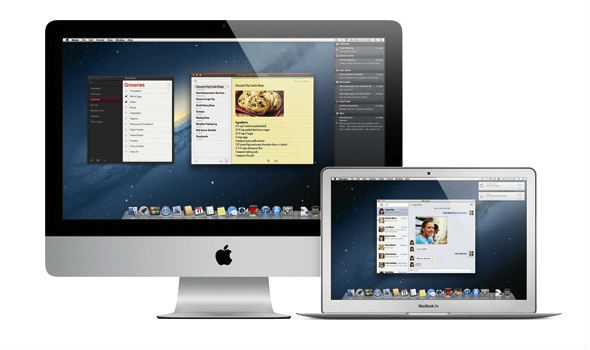
Continuing with its line of feline-themed desktop operating systems Apple has just released some details on its next generation Mac OS X 10.8 operating system, code-named Mountain Lion. Of course Mac OS X 10.7 Lion was just released last summer, but Apple already has been working hard on the next iteration. In fact Apple is moving into an accelerated release schedule and will now start updating its OS X software once a year.
As Apple itself puts it, many of the upcoming new features in Mac OS X Mountain Lion have been inspired by iOS and the iPad. The features include an integrated notification center, deeper iCloud integration and AirPlay mirroring. The new OS will also include Messages, which is an app inspired by iOS iMessages, anyone running OS X Lion can already download the beta now here.
None of the new features are groundbreaking and from what we can see this is more of stopover upgrade from Mac OS X Lion, hopefully, to something bigger. Personally, we’re still waiting on Apple to improve the stability of Mac OS X Lion.
If you are part of the Mac Developer Program you can download the Developer Preview of OS X Mountain Lion now. For everyone else, the new final OS should be made available this summer.
Rundown of the main new features in OS X Mountain Lion
iCloud
iCloud now is in the center of the new OS, operating as an ‘alternative’ Finder, that is it lives as ‘tab’ in Finder you get to select upon saving documents between your Mac and iCloud. It will also now sync documents in addition to your email, calendars and contacts. So you can have your files available on other Macs and iOS devices, like the iPad.
Messages app
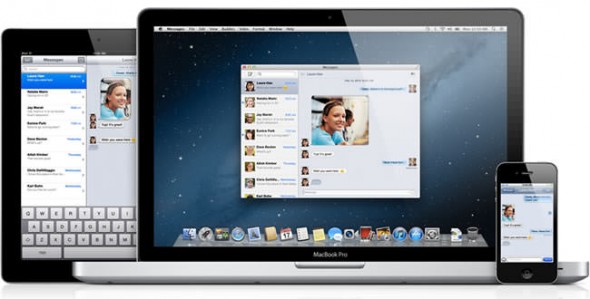
The new Messages app includes iMessage so that you can send (and receive) messages to (from) Macs, iPhones, iPads running iOS 5.
OS updates
Software update will now be delivered from the Mac App Store instead of the standalone ‘Software Update’ dialogue.
Gatekeeper
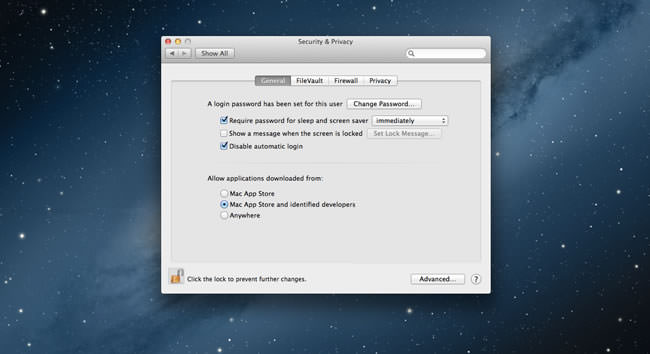
Gatekeeper is a new security feature that will protect you from malware by limiting the kinds of software that you can install on your Mac. You can set different levels of security, with the highest allowing only apps downloaded through the Mac App Store, while the next level will require developers to pre-register with Apple in order to become ‘trusted’.
Notification Center
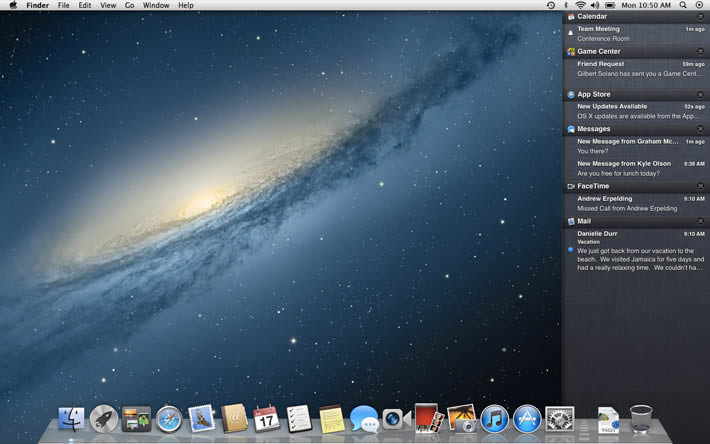
Notifications were big in iOS 5 and now they are coming to OS X. The new Notification Center will bring up banners on your desktop notifying you of new email, messages, alerts, etc.
AirPlay Mirroring
AirPlay Mirroring lets you stream whatever is on your Mac to your HDTV through Apple TV. It will work with the second generation of Apple TV and you can stream anything from web pages, apps, games and videos. If there isn’t an existing network connection between your Mac and Apple TV then AirPlay Mirroring will automatically create a direct one.

The rest
Other features include the new Reminders and Notes apps, new Game Center and support for many Chinese services — a huge growth market for Apple.
OS X Mountain Lion video tour
UPDATE: Apple has stated that the operating system won’t be called Mac OS X anymore, it’s simply OS X from now on.
[Apple]