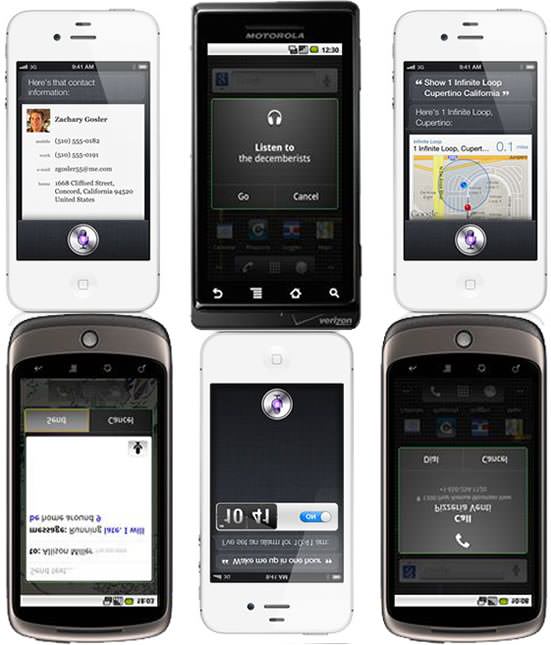
Controlling a device with your voice is certainly nothing new. It’s been implemented time and time again and the execution has ranged from terrible, to gimmicky, to just ok, but it has never taken off. It’s been the sort of thing that you show off at family gatherings to impress older relatives but you never end up using.
It has existed on mobile devices for a while but with very limited capabilities. Feature phones could only do things like call up a number. Then, Google brought it on Android with Voice Search and Voice Actions expanding its capabilities. Now, Apple has officially taken a big step into voice control with iOS 5, the iPhone 4S and its personal assistant Siri. Could this mean that we will soon start using our devices in a different way?
Apple didn’t invent the artificial intelligence (AI) and voice recognition technology that makes Siri happen. In fact, Siri on iOS is the result of Apple’s purchase of same named company, Siri, and the use of third-party voice recognition technology (probably Nuance). But Apple has an incredibly successful history of doing exactly this, taking an existing but flailing technology, ironing out the quirks and making it the norm. The Macintosh made the mouse popular, the iPhone revolutionized touch-screen technology and Siri could be the beginning of a new way to interact with our devices.
continue reading
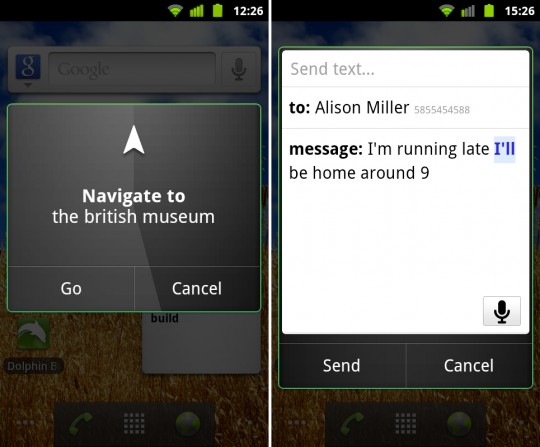
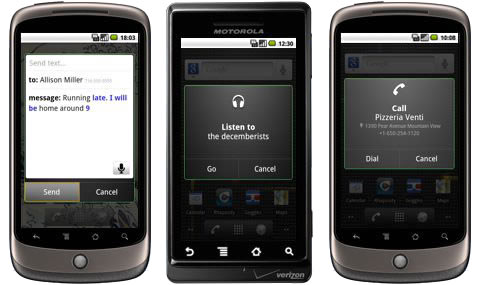
Android users in Europe can now get talky with their smartphones. Google last year, had introduced Voice Actions as a way of controlling your Android device with your voice. We’ve already covered how you could perform all sorts of tasks, such as sending emails, calling contacts or searching, using your voice. Unfortunately voice recognition until now was limited to English (and mainly US English).
Google just released a new version of Voice Search for Android with voice actions in French, Italian, German, Spanish and specifically tailored British English. As usual, check the Android Market for the latest version of the app. To use, launch Voice Search by keeping the Android search button (the one that looks like a magnifying glass) pressed for a few seconds, or if you have the Google Search widget on your homescreen touch the microphone icon.
Google lists the following commands, though you could also try ‘listen to’ and ‘alarm’:
- send text to [contact] [message]
- call [business]
- call [contact]
- go to [website]
- navigate to [location/business name]
- directions to [location/business name]
- map of [location]
A video of how it all works is after the break, yay!
continue reading

You may or may not know that you can control your Android smart phone using just you voice. Have you tried speaking to your phone yet?
Well we’ve compiled below a handy list of commands you can use to control certain aspects of your phone. You’ll be surprised how accurate and convenient this can be. But before you start testing the commands out, first make sure you have the latest version of Google Search installed. Open the Market from your applications and search for Google Search. Either install or update if you haven’t yet.
Now launch Google Voice Search, if you have the Google Search widget on your homescreen touch the microphone icon or else press and hold the Android search key (the one that looks like a magnifying glass) until the “Speak now” dialogue appears. Now speak your commands. If you are dictating text, Voice Search will present you with a closest match and highlight in blue, words it’s not sure about, touch those words and you are presented with alternative matches.
continue reading