2012 01/May 1:29pm

How to upgrade your music to 256kbps AAC DRM-free quality with iTunes Match

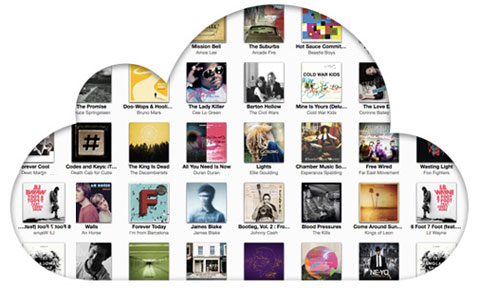
Apple iTunes Match

So you’ve signed up for iTunes Match and you’ve been enjoying access to all your music from the cloud, but did you know that there was another great benefit from the service?

You can easily upgrade all your lower audio quality locally stored music to iTunes-quality 256kbps AAC files. As long as an audio file has been matched and made available on iCloud you can get yourself a spanking high-bit-rate quality copy.

In this guide we’ll show you how you can quickly and easily upgrade your entire local music library with iTunes Match by first batch-deleting all low-bit-rate files and then downloading 256kbps tracks from iCloud. Note that iTunes will not overwrite any of your tags, the new high quality files you will download below will maintain all your original metadata and even play counts.

Everything we’ll be doing in this guide happens inside iTunes, so first fire up the software and read on.
continue reading

2012 16/Feb 10:51am

Apple gives us a peak of OS X Mountain Lion 10.8: iCloud, Notification Center and Messages

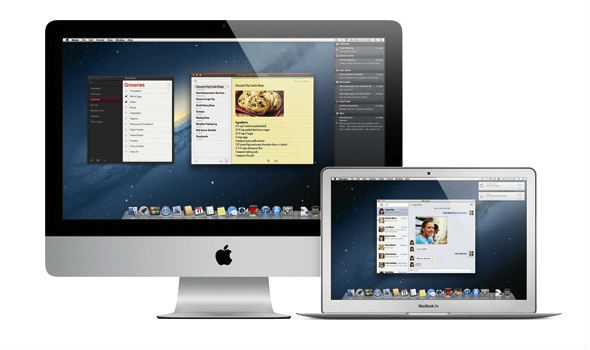
Mac OS X Mountain Lion sneak peak

Continuing with its line of feline-themed desktop operating systems Apple has just released some details on its next generation Mac OS X 10.8 operating system, code-named Mountain Lion. Of course Mac OS X 10.7 Lion was just released last summer, but Apple already has been working hard on the next iteration. In fact Apple is moving into an accelerated release schedule and will now start updating its OS X software once a year.

As Apple itself puts it, many of the upcoming new features in Mac OS X Mountain Lion have been inspired by iOS and the iPad. The features include an integrated notification center, deeper iCloud integration and AirPlay mirroring. The new OS will also include Messages, which is an app inspired by iOS iMessages, anyone running OS X Lion can already download the beta now here.
continue reading

2011 15/Nov 7:54am

What do all the new cloud icons in iTunes mean about iTunes Match and your iCloud library and how-to troubleshoot errors

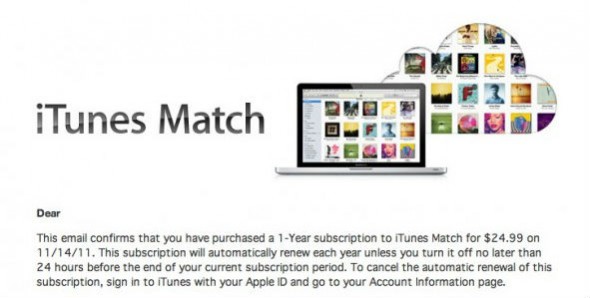
iTunes Match subscription email

If, like us, you were anxious to try out the new iTunes Match service offered by Apple, you’ve downloaded the latest version of iTunes, and subscribed to the $25/month service — more info on that here. You’ve run iTunes Match and your library is now fully accessible from iCloud. Note that running iTunes Match does not affect your locally stored files, also if you’ve painstakingly edited the meta data (i.e. Artist name, Album etc.) of your files, these will be transferred to the iCloud copies, even if the files are just matched and not uploaded.

So now you could be presented with a new set of icons in iTunes which show the status of each song in iTunes Match and iCloud. Apple has created a handy table to guide you through these cryptic new cloud figures, which however tell you a lot about the status of your library:
continue reading

2011 14/Nov 1:46pm

iTunes Match is finally here, access your music from the cloud in high quality, US only for now

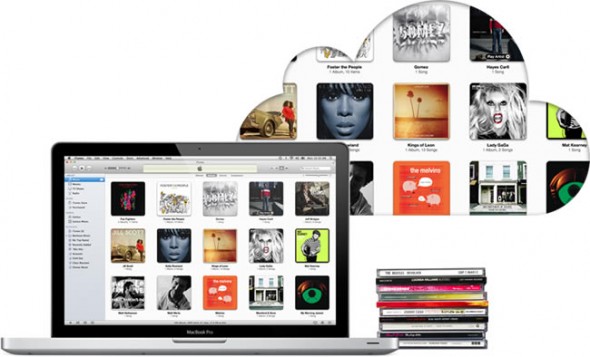
Apple iTunes Match

Although Apple missed its own end-October deadline for the release of iTunes Match, the $25 per year service is now available as a public beta for people living and breathing in the US.

The service basically uses iTunes to scan your music collection and gives you access to the same songs in high quality 256Kbps AAC on Apple’s servers. That is, unlike other cloud services, you don’t need to upload your files directly. It’s a neat idea since, it saves you the time and effort to upload files and gives you access to better quality rips, irrespective on the quality of your own files, accessible from all your iOS 5 devices. Of course if a file is not matched with one in Apple’s servers then it will be uploaded the old-fashioned way.

Because iTunes Match is in beta you get three free extra months on the annual subscription. Be warned that demand has been so high initially that Apple has suspended sign-ups temporarily. Those from other countries will have to wait unfortunately as Apple is still negotiating licensing deals outside the US.

To get started you need to download the latest version of iTunes (link after the break) 10.5.1 on your Mac or Windows PC. After installing, you can subscribe to the iTunes Match service from inside the iTunes Music Store — a link with iTunes Match will be highlighted on the right side of the main store page. After you sign-up and scanning and syncing is complete, on your iOS 5 device, go to ‘Settings’ > ‘Music’ and slide the iTunes Match switch to On.
continue reading

2011 12/Oct 12:49pm

iOS 5 and Mac OS X Lion 10.7.2 now available for download

Apple iOS 5 released

We’ve been expecting this day to come and you can now finally update your iOS devices — iPhone 3G, iPhone 4, all iPads, 3rd and 4th generation iPod Touch — to iOS 5. This is a major update to iOS with over 200 new features, including Notifications (at last), iMessage, Newsstand, Reminder and of course iCloud integration.

As we warned you yesterday, you will need to be running iTunes 10.5 to update your devices. So if you haven’t done already, check out our coverage.
continue reading

2011 11/Oct 2:53pm

iTunes 10.5 up for download, becomes part of iCloud, paves the way for iOS 5 and iTunes Match

iTunes 10.5 becomes part of iCloud

The latest update for iTunes is now available for download, and it should make iTunes fans very happy, especially those anxious to update their iOS device(s) (iPhone, iPad, iPod Touch) to iOS 5 tomorrow.

Version 10.5 brings Wi-Fi syncing for all iOS devices and iTunes in the Cloud, which means that all your Apple Store music and video purchases will be available on all your computers running iTunes. Most importantly the latest update paves the way for iOS 5; if you want to update your device starting tomorrow, you must be running the latest version of iTunes to do so, so our advice is to get downloading.

Finally the update should allow you future access to Apple’s $25 a year iTunes Match service, coming by the end of the month. iTunes will scan your library and give you access to high quality copies of your local music stored in Apple’s servers, accessible anywhere.

If you already have iTunes installed, click on “Check for Updates” within iTunes or the ‘Apple’ logo and “Software Update” on a Mac. You can also get it from this link.

Just a heads-up, that tomorrow is a big day for Apple related services and software with the, as mentioned, release of iOS 5, iCloud and an update to OS X Lion 10.7.2.
continue reading

2011 31/May 9:26am

Apple to unveil Mac OS X Lion, iOS 5 and iCloud on June 6

Apple WWDC11 - iOS 5, Mac OS X Lion and iCloud to be unveiled

We are used to Apple being very secretive about new products and services, keeping everything in the shadows until a big media event. So the first surprise to come in anticipation of this year’s Apple Worldwide Developers Conference, being held on June 6-10, is Apple formally putting out a press release announcing iCloud prior to the event’s keynote speech.
continue reading

privacy policy | copyright 2009-2012 Stuff-Review | tech opinions and advice for real people

Stuff-Review: { News, reviews and guides on gadgets, objects & ethereal stuff }